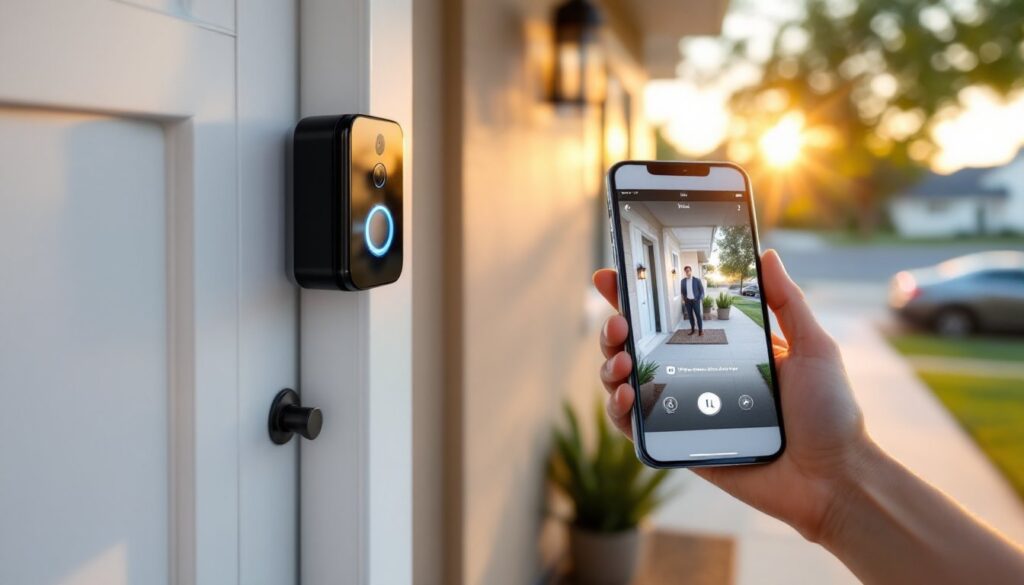
Ring doorbells have changed the way homeowners think about front door security. Instead of relying on peepholes or wondering who rang while you were out, these smart devices let you see, hear, and speak to visitors from anywhere, whether you’re upstairs, at work, or halfway across the country. The technology isn’t magic, but it’s impressively practical: a combination of motion sensors, HD cameras, Wi-Fi connectivity, and smartphone integration that turns a doorbell into a security hub. Understanding how these components work together helps homeowners decide which model fits their setup and how to install and maintain it properly.
Table of Contents
ToggleKey Takeaways
- A Ring doorbell combines motion sensors, HD cameras, Wi-Fi connectivity, and smartphone integration to let homeowners see, hear, and speak to visitors from anywhere in real-time.
- Motion detection uses passive infrared (PIR) sensors to monitor heat signatures within 15-30 feet, which you can customize through the app to reduce false alerts from cars or tree branches.
- Ring doorbells require a reliable 2.4 GHz Wi-Fi connection with an RSSI of -60 dBm or better and at least 2 Mbps of upload bandwidth for smooth video streaming.
- You can power a Ring doorbell with a rechargeable battery lasting one to six months or hardwire it to your home’s existing 16-24 VAC transformer for continuous operation.
- The Ring app serves as your command center, offering live video feeds, two-way audio communication, customizable motion zones, and integration with Alexa devices and other smart home systems.
What Is a Ring Doorbell and Why Homeowners Love It
A Ring doorbell is a smart video doorbell that replaces or supplements a traditional doorbell button. It mounts beside your front door and connects to your home’s Wi-Fi network, streaming live video to your smartphone whenever someone presses the button or triggers its motion sensor.
The core appeal is simple: real-time alerts and two-way communication. When a visitor arrives, the Ring app sends a push notification to your phone. You can see who’s there, talk to them through the built-in speaker and microphone, and decide whether to answer the door, unlock it remotely (if you have a compatible smart lock), or ignore the interaction entirely.
Homeowners appreciate the added security layer, package thieves, solicitors, and unexpected visitors are all visible before you open the door. The motion-activated recording also captures activity even when no one rings, creating a searchable video history. For DIYers, installation is straightforward: most models mount with basic hand tools, and battery-powered versions require no wiring at all, making them ideal for renters or homes without existing doorbell infrastructure.
The Core Technology Behind Ring Doorbells
Ring doorbells pack several technologies into a compact weatherproof housing. Here’s how the main systems work together.
Motion Detection and Smart Alerts
Ring doorbells use passive infrared (PIR) sensors to detect motion. These sensors monitor heat signatures, when a person (or large animal) moves within the detection zone, the temperature change triggers the camera to start recording and sends an alert to your phone.
You can adjust the motion sensitivity and define custom motion zones through the Ring app. This is critical for reducing false alerts from passing cars, tree branches, or neighbors walking on the sidewalk. Higher-end models like the Ring Video Doorbell Pro 2 offer 3D motion detection, which uses radar to measure distance and direction, improving accuracy and reducing unnecessary notifications.
The detection range typically extends 15 to 30 feet from the doorbell, depending on the model and environmental factors. Metal siding, thick stucco, or direct sunlight can all affect sensor performance, so placement matters.
HD Video Recording and Two-Way Audio
Once motion is detected or the doorbell button is pressed, the 1080p or 1536p HD camera starts recording. Video streams to Ring’s cloud servers and to your phone simultaneously. The camera uses a wide-angle lens (typically 155 to 180 degrees horizontal field of view) to capture your entire porch and part of the yard.
Infrared night vision LEDs activate automatically in low light, providing clear black-and-white footage after dark. The effective range is about 15 feet at night, enough to identify faces and read package labels.
Two-way audio relies on a built-in microphone and speaker. When you answer a Ring alert, your voice transmits through the doorbell’s speaker, and you hear the visitor through your phone. Audio quality is decent but not studio-grade: expect some compression and a slight delay (usually under two seconds) due to Wi-Fi latency. Wind and traffic noise can interfere, so speak clearly and listen carefully.
How Ring Connects to Your Home Wi-Fi Network
Ring doorbells require a 2.4 GHz Wi-Fi connection to function. Most modern routers broadcast on both 2.4 GHz and 5 GHz bands, but Ring devices (except the newest Pro models) only connect to 2.4 GHz because it penetrates walls better and covers longer distances.
During setup, you’ll use the Ring app to connect the doorbell to your network. The process is straightforward: press the setup button on the doorbell, select your Wi-Fi network in the app, and enter your password. The doorbell stores these credentials and reconnects automatically after power cycles.
Signal strength is critical. Ring recommends an RSSI (Received Signal Strength Indicator) of -60 dBm or better for reliable performance. You can check your RSSI in the app under Device Health. If your signal is weak (-70 dBm or worse), expect choppy video, delayed notifications, and frequent disconnections.
Solutions for weak Wi-Fi include repositioning your router, installing a Wi-Fi extender, or upgrading to a mesh network system. Many smart home installations benefit from mesh routers that eliminate dead zones and improve device reliability. Ring also sells a Chime Pro, which acts as both a Wi-Fi extender and an indoor chime.
Bandwidth matters too. Ring doorbells consume roughly 1 to 2 Mbps of upload bandwidth during live streaming. If multiple people in your household are video conferencing or gaming, you may notice performance dips. A minimum upload speed of 2 Mbps is recommended, but 5 Mbps or higher is ideal for smooth operation.
Powering Your Ring Doorbell: Wired vs. Battery Options
Ring offers two power options: battery-powered and hardwired. Each has trade-offs depending on your home’s existing setup.
Battery-powered models use a rechargeable lithium-ion battery pack. Battery life varies widely, anywhere from one to six months, depending on activity level, temperature, and Wi-Fi signal strength. Cold weather below 40°F significantly reduces battery performance. When the battery dies, you remove it (most models use a quick-release mechanism), charge it via USB, and reinstall it. Some homeowners buy a second battery to swap in immediately and avoid downtime.
If your home has an existing doorbell with a 16 to 24 VAC transformer, you can hardwire most Ring models. Hardwiring provides continuous power, eliminating battery swaps and enabling advanced features like continuous video recording (with a Ring Protect subscription). Installation steps are covered in detail in professional installation guides, which walk through wiring to the transformer and mounting the device securely.
Important: Before wiring, turn off power at the breaker. Use a non-contact voltage tester to confirm the doorbell wires are dead. Most doorbell transformers output low voltage (16-24V AC), which isn’t dangerous, but it’s good practice. If you’re replacing an old mechanical doorbell, you’ll need to bypass or remove the internal chime unless you’re using a digital chime compatible with Ring.
Some models, like the Ring Video Doorbell Elite, require Power over Ethernet (PoE), which delivers power and data through a single Ethernet cable. This option is more complex and typically used in new construction or major renovations where running Cat5e or Cat6 cable is feasible.
Using the Ring App to Monitor and Control Your Doorbell
The Ring app (iOS and Android) is the command center for your doorbell. After installation, the app handles everything from live viewing to notification settings to video playback.
When someone presses your doorbell or triggers motion, you receive a push notification. Tap it to open a live video feed. You’ll see a Talk button to speak to the visitor, a microphone mute option, and recording controls. If you miss the alert, the app saves a video history (with a Ring Protect subscription).
The app also lets you customize:
- Motion zones: Draw areas on the camera’s field of view where motion should or shouldn’t trigger alerts. This prevents alerts from sidewalks or neighboring driveways.
- Motion sensitivity: Adjust how sensitive the PIR sensor is. Lower settings reduce false alerts: higher settings catch more distant movement.
- Notification schedules: Set quiet hours when you don’t want alerts (e.g., during dinner or overnight).
- Linked devices: Connect your Ring doorbell to Alexa-enabled devices. You can say, “Alexa, show me the front door” to view live video on an Echo Show or Fire TV.
Many homeowners integrate Ring with other smart home ecosystems to create automation routines, like turning on porch lights when motion is detected or unlocking a smart lock when a trusted person arrives.
Without a Ring Protect subscription ($4/month or $40/year per device), you’ll only receive real-time alerts and can view live video. Subscriptions add video recording and storage for up to 180 days, plus advanced features like people-only mode and rich notifications with video previews.
The app also displays Device Health, showing Wi-Fi signal strength, battery level (if applicable), and the last time the doorbell was online. This is your first stop for troubleshooting connectivity or performance issues.